
Calendars within White Cup CRM are assigned to specific users and are by default only viewable by the assigned user and admins. The following instructions can be used to give any user within your system access to view a specific calendar. These instructions can be followed either by the user the calendar is assigned to, or by an admin.
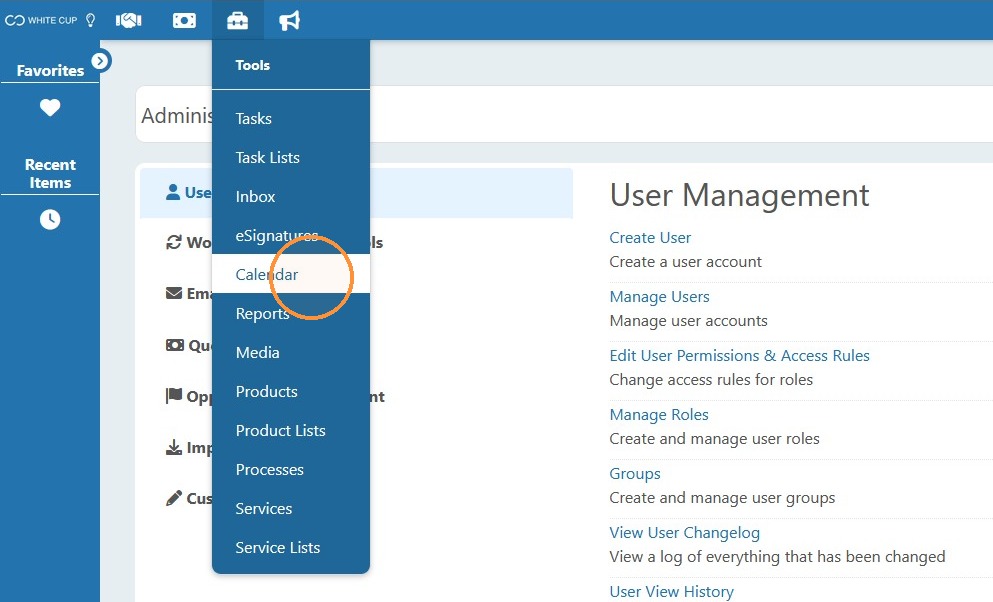
1. Select "Calendar" option from the Tools menu.
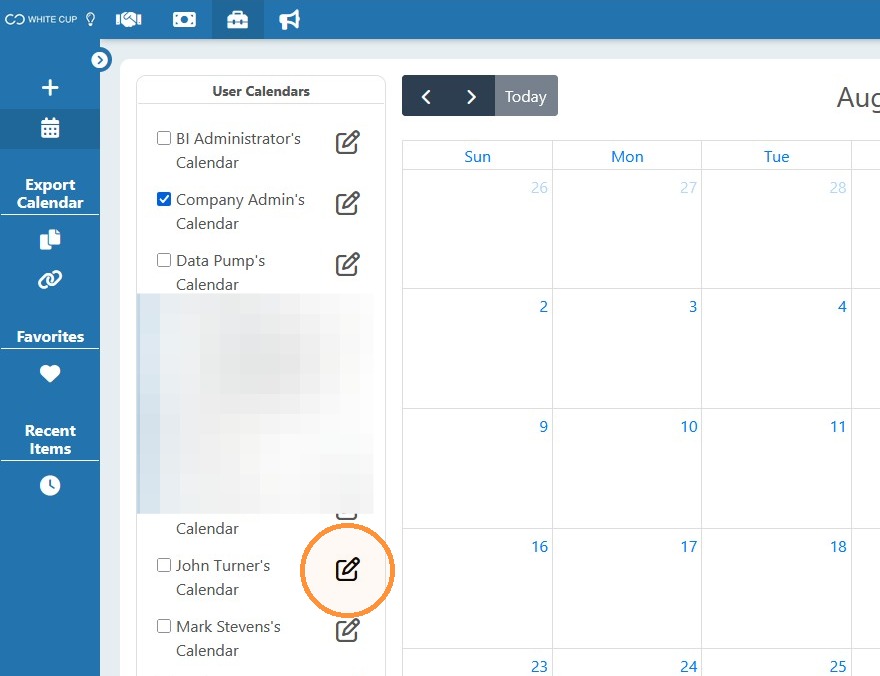
2. Click the Edit pencil to update the needed calendar.
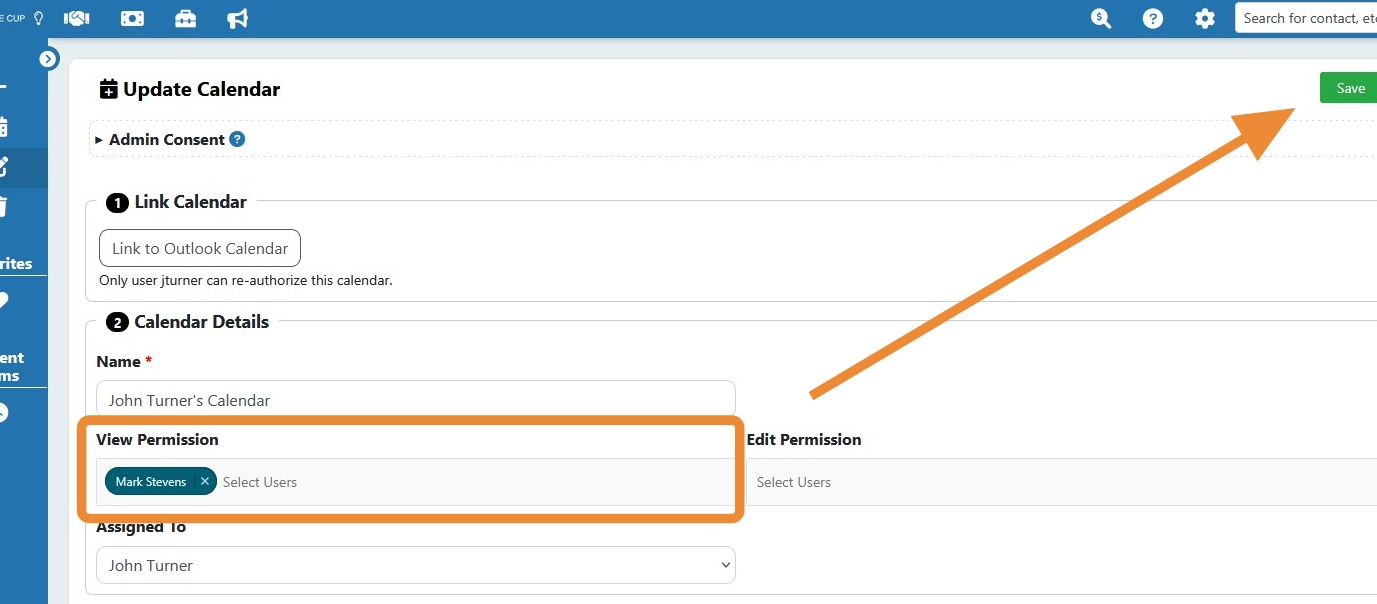
3. Select the users that need View Permission, then Save the changes. (Edit permission can also be added if needed.)
Comments
0 comments
Please sign in to leave a comment.